How Do I Match Desk Size to What I Actually Do at My Setup?
If you’re setting up a workspace or gaming station, you’ve likely asked yourself: how do I match desk size to what I actually do at my setup? Choosing the right desk size isn’t just about aesthetics or squeezing in every piece of equipment possible. It's about creating a functional, comfortable, and efficient workspace tailored to your specific activities — whether that’s work, gaming, or a combination of both.
After nine years spent measuring office and home setups, I’ve learned a few crucial lessons that’ll make your setup experience smoother, more enjoyable, and safer. From grabbing a tape measure to sketching a simple floor plan, let me take you through everything you need to consider to find the perfect desk size for your needs.
1. Start by Measuring Your Floor Space and Identifying Obstacles
Before you dream big about an ultra-wide gaming desk size or a sprawling workstation loaded with dual monitors and accessories, take a step back and measure the room — or nook — where the desk will live.
- Use a tape measure: This is a simple tool that you should always keep handy in a drawer near your workspace. Don’t skip this step; guessing space invites hassles down the road, especially if you underestimate clearance space around doors, windows, or furniture.
- Create a simple floor plan sketch: Draw your room’s dimensions and mark fixed obstacles like door swings, radiators, electrical outlets, and windows. I always check where outlets are before recommending desk placement to ensure plug points aren't blocked or awkwardly placed.
- Mind the door: Nothing’s more frustrating than positioning a desk that blocks the swing of a door. Make sure there’s enough room for the door to open fully without hitting the corner of your desk.
- Consider foot traffic flow: Your desk shouldn’t be in the way of natural walkways.
Taking these steps early will prevent you from buying a desk that’s too big or awkwardly shaped for your space.
2. Match Desk Size to the Equipment and Activity You Engage In
The Occupational Safety and Health Administration (OSHA) emphasizes ergonomic workspaces tailored to the user's activities — a principle just as relevant for your home workspace or gaming setup. Your desk size should be dictated by what you actually need to do on it.
Workstations: Do You Need Room for Multiple Monitors and Accessories?
For many, working from home or at an office involves multiple screens, a keyboard and mouse, notepads, reference books, and sometimes decorative items or plants. Each of these needs space.
- Monitor setup: Consider your monitor size (more on this soon), plus space for a keyboard and mouse. Dual or triple monitors take up more space and might require a deeper or wider desk.
- Accessories: If you use printers, scanners, external hard drives, or gaming controllers, factor in desk space for these too.
- Writing or drawing space: Do you need clear, flat areas for pen and paper? Make sure your desk allows for this without cluttering your workspace.
Gaming Desks: Avoid Oversized Desks That Hamper Movement
Many gaming enthusiasts visit websites like mrq.com, an online casino platform, and imagine broad gaming stations with LED lights and multiple peripherals. However, as fun as this looks, an oversized gaming desk can leave you cramped and tired.
I can’t stress enough the importance of not buying a desk that leaves no room to move. Consider your gaming setup components—console, PC tower, multiple monitors, gamepads, keyboard, and mouse. You’ll want to leave space for quick hand movements and comfortable posture during long sessions.
3. Chair Clearance: The Make-or-Break Measurement
Here’s where many setups fail: not thinking about chair clearance.
When arranging your desk size, always leave at least 30 inches (76 cm) behind your chair so you can pull it out easily and get up without banging into walls or furniture. You’re going to be moving around more than you think—stretching, adjusting posture, and sometimes pacing.
- Test chair pull-back space before buying a desk: Use your tape measure to check how far your chair pushes back.
- Avoid tight corner desks blocking the swing area: Being able to pull out your chair without friction enhances comfort and prevents neck and shoulder strain.
- Height of desk vs chair: Your chair height and desk height need to match for ergonomic typing and mouse use. Too high or low can cause wrist or back pain, which OSHA guidelines warn about.
4. Understand Monitor Size Relative to Desk Width and Height
What’s often overlooked is that monitor size—usually advertised by diagonal screen measurement—doesn't tell the whole story of how much desk space your screen occupies.
For example:
- A 27-inch monitor typically measures around 24 inches (61 cm) wide by 14 inches (36 cm) tall.
- A 34-inch ultrawide can be close to 32 inches (81 cm) wide and 14 inches (36 cm) tall.
Think about:
- Depth: Monitors take desk depth as well, especially if you want to place your keyboard at a comfortable distance.
- Height adjustment: If your monitor is on a stand, consider how tall it is from the desk surface—this affects viewing angles and posture.
- Multiple monitors: How wide is the combined width? Will they overhang your desk edges? That’s never fun and can be dangerous.
These measurements help you choose a desk wide and deep enough so you can comfortably arrange monitors without overcrowding your keyboard and mouse space.
Practical Steps to Matching Desk Size to Your Activity
- Measure your available floor space and create a simple sketch: Use a tape measure and make note of doors, windows, outlets, and other obstacles.
- List your essential equipment and estimate desk footprint needed: Include monitors, keyboard, mouse, gaming controllers, documents, and other accessories you frequently use.
- Factor in chair clearance of at least 30 inches behind your chair: Measure your chair’s depth with backrest and how far you pull it out for sitting.
- Check monitor dimensions (real width and height, not just diagonal): Consider stands and adjustable heights. Arrange combined monitor width in your sketched floor plan.
- Pick a desk size that fits comfortably in your room and leaves walking room: Remember, bigger isn't always better if it means sacrificing movement or blocking door swings.
Quick Desk Size Reference Table for Common Setups
Setup Type Desk Width (min) Desk Depth (min) Chair Clearance Notes Single Monitor Office 40 inches (102 cm) 24 inches (61 cm) 30 inches (76 cm) behind chair Room for keyboard, mouse, and documents Dual Monitors Workstation 60 inches (152 cm) 30 inches (76 cm) 30 inches (76 cm) Extra width for multiple screens and accessories Gaming Desk with Multiple Peripherals 55-65 inches (140-165 cm) 30-36 inches (76-92 cm) 30 inches (76 cm) Allow hand movement room, space for controllers, headphonesFinal Thoughts: Made-to-Fit Over “One-Size-Fits-All”
Matching your desk size to your activity boils down to two things: your space and your equipment. There’s no point in buying a massive desk just because it looks cool or matches your gaming idols if your room doesn’t have space to accommodate it without feeling cramped.
https://inchesguide.com/how-much-space-do-you-need-for-a-comfortable-home-gaming-setup-a-measurement-guide/Always keep your tape measure handy, sketch out the space, and think ergonomics and safety first — the Occupational Safety and Health Administration (OSHA) principles of fitting the workspace to the user apply just as much in a home setup.
And don’t forget: proper chair clearance and desk clearance around doors and windows make the difference between a setup you enjoy and one you dread.

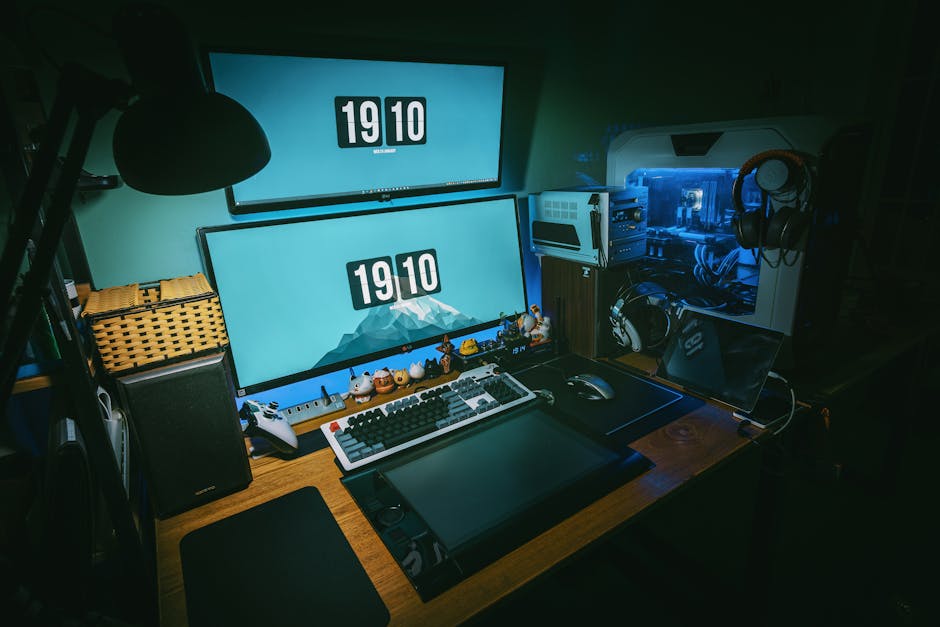
Investing time in the planning phase saves frustration, physical strain, and costly returns later. This is how you can smartly match desk to activity and create a setup uniquely suited to how you work and play.